LegacyKeeper’s Guided Form is an estate planning fact finder that simplifies, centralizes, and automates data entry. Advisors and clients complete a simple, 22-step process to collect all essential estate data. The AI-driven tool captures personal details, family relationships, assets, insurance, and preferences. With intuitive navigation, smart document scanning, and real-time tracking, advisors finish onboarding in one session. Nothing gets missed. Efficiency soars.
What Is the Estate Planning Fact Finder?
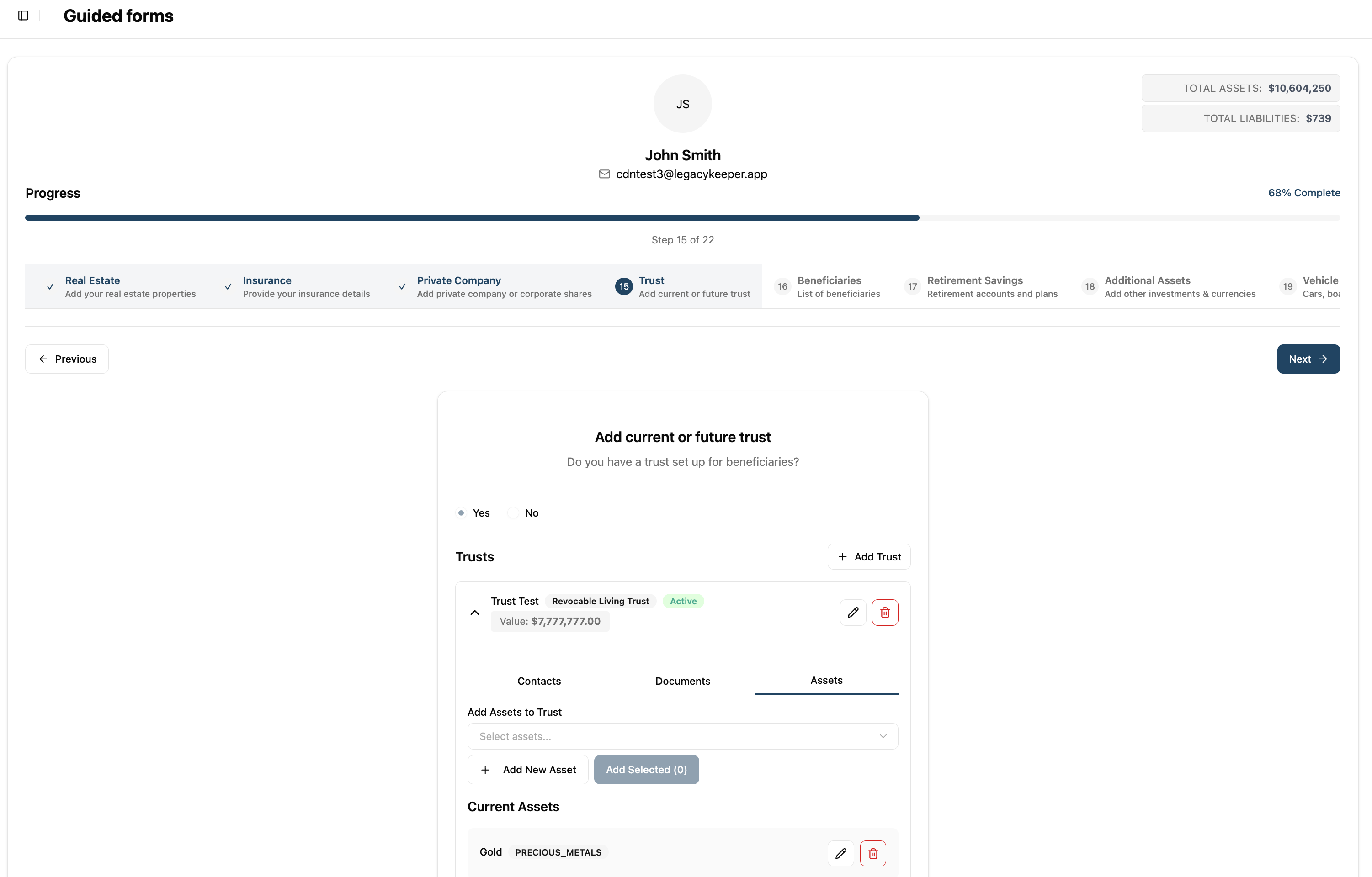
The Estate Planning Fact Finder is LegacyKeeper’s digital client onboarding system for estate planning. Advisors use an easy, 22-step workflow to collect every detail for a complete estate analysis. The visual progress bar and real-time totals keep onboarding simple and thorough. Everything is organized in one place.
The Fact Finder connects directly to LegacyKeeper’s AI platform. It does more than collect data. The AI processes uploaded documents, extracts key details, and organizes everything for easy review. Advisors move quickly between steps, skip sections, and update info at any time. The Fact Finder adapts to every client.
The Problem This Feature Solves
Financial advisors struggle to collect complete estate information from clients. Paper forms, endless emails, and multiple meetings waste time. The process drags on for weeks. Important details are often missing until late in the process. Advisors must chase clients for answers.
Estate planning depends on details clients may forget or overlook. Without a clear process, critical facts—like family dynamics or preferences—get missed. Incomplete data means weaker plans and missed chances to protect client wealth.
How the Feature Solves These Challenges
LegacyKeeper’s agent-first design makes client onboarding fast and simple. The Estate Planning Fact Finder enables advisors and clients to complete onboarding in a single session. Taking a process that takes weeks or months, and making it take a few days. It solves advisor problems with three main features:
Step-by-Step Guidance: The 22-step Fact Finder guides advisors through each estate and financial detail—personal info, legal documents, family, real estate, insurance, businesses, trusts, retirement accounts, assets, and care wishes. Every step is clear and easy.
AI Document Processing: Clients and advisors upload documents—wills, insurance, tax records, bank and investment statements—right in the Fact Finder. The AI pulls key details and fills in the fields. No manual entry. Fewer errors.
Real-Time Progress: The Fact Finder shows instant feedback as you complete each section. Asset and liability totals update live. Advisors and clients always see the big picture during onboarding.
Improved Client Experience: Clients access the Fact Finder on any device. Advisors invite clients to join. Advisors can enter client data, collaborate, or let clients fill in their own details.
How to Use the Estate Planning Fact Finder for Seamless Client Onboarding
Start using the Estate Planning Fact Finder in a few simple steps:
- Invite your clients: This creates an account for clients who do not already have an account and allows advisors to start adding data.
- Begin: Open the Fact Finder in your client’s profile. The tool gives a quick intro and explains what information you’ll collect.
- Enter Personal Info: Add the client’s name, address, and contact details. This sets up the estate plan.
- Upload Documents: Scan or upload wills, insurance, tax records, and statements. The AI instantly extracts the key info.
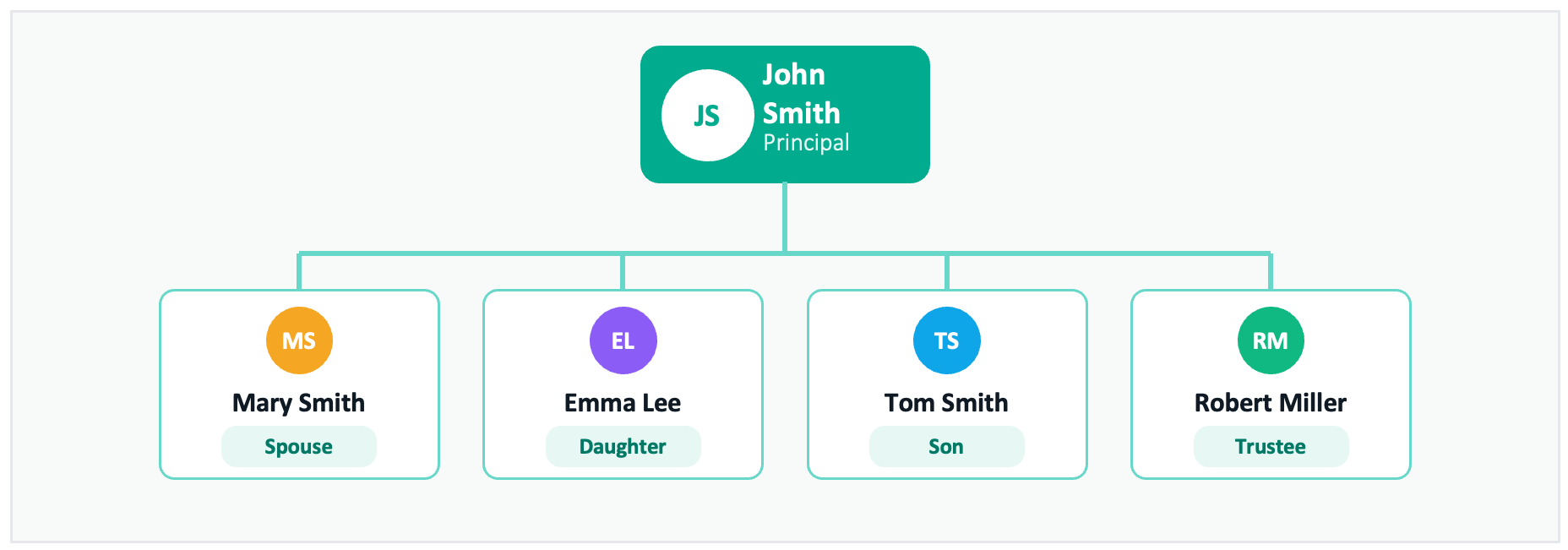
- Add Family: Enter relationship status, spouse or partner, and children. Assign roles like Executor or Guardian to the right people.
- Add Assets: Enter real estate, insurance, business shares, trusts, retirement accounts, valuables, and vehicles.
- Choose Beneficiaries: Assign who will get each asset or trust.
- Set Preferences: Record funeral and care wishes, plus medical and quality of life choices.
- Organize: Review everything at the end. The Fact Finder lets you sort contacts and documents for quick reference.
Estate Planning Fact Finder: The Next Evolution in Client Onboarding
The Estate Planning Fact Finder transforms client onboarding for estate planning. Step-by-step guidance, smart AI, and live tracking make the process fast and accurate. Advisors get complete, audit-ready client files. They can focus on planning and relationships, knowing every detail is captured.
Frequently Asked Questions
Q: How long does it take to complete the Guided Forms wizard?
A: Most advisors complete the wizard in 30 to 60 minutes during a client meeting when documents are readily available. The AI document processing significantly reduces time by automatically extracting information from uploaded files. You can also save progress and resume the wizard across multiple sessions.
Q: What document types can I upload during the wizard?
A: The wizard supports uploading Last Will and Testament documents, Power of Attorney forms, insurance policies, property tax assessments, bank statements, and investment account statements. Each document type has a dedicated step where you can upload, view, download, or delete previously uploaded files.
Q: Can I skip steps if my client doesn’t have certain assets?
A: Yes. Each step allows you to indicate whether the client has that type of asset or document. Select “No” to skip adding items, or use the Skip button to move to the next step. You can always return to any step later to add information.
Q: How do I add contacts and assign them to assets?
A: Each asset step includes the Contacts and Documents tabs. Use the dropdown to select existing contacts or click Add New Contact to create one. You can assign contacts as joint owners, beneficiaries, or other roles depending on the asset type.
Q: What happens to my data if I don’t finish the wizard in one session?
A: Your progress is saved automatically as you complete each step. The progress bar shows your completion percentage, and you can return to the wizard at any time to continue from where you left off. All previously entered information and uploaded documents are preserved.

Leave a Reply